10/3/26 New Brainbox Features - Copy
🔥 This Week’s New Brainbox Features & Updates
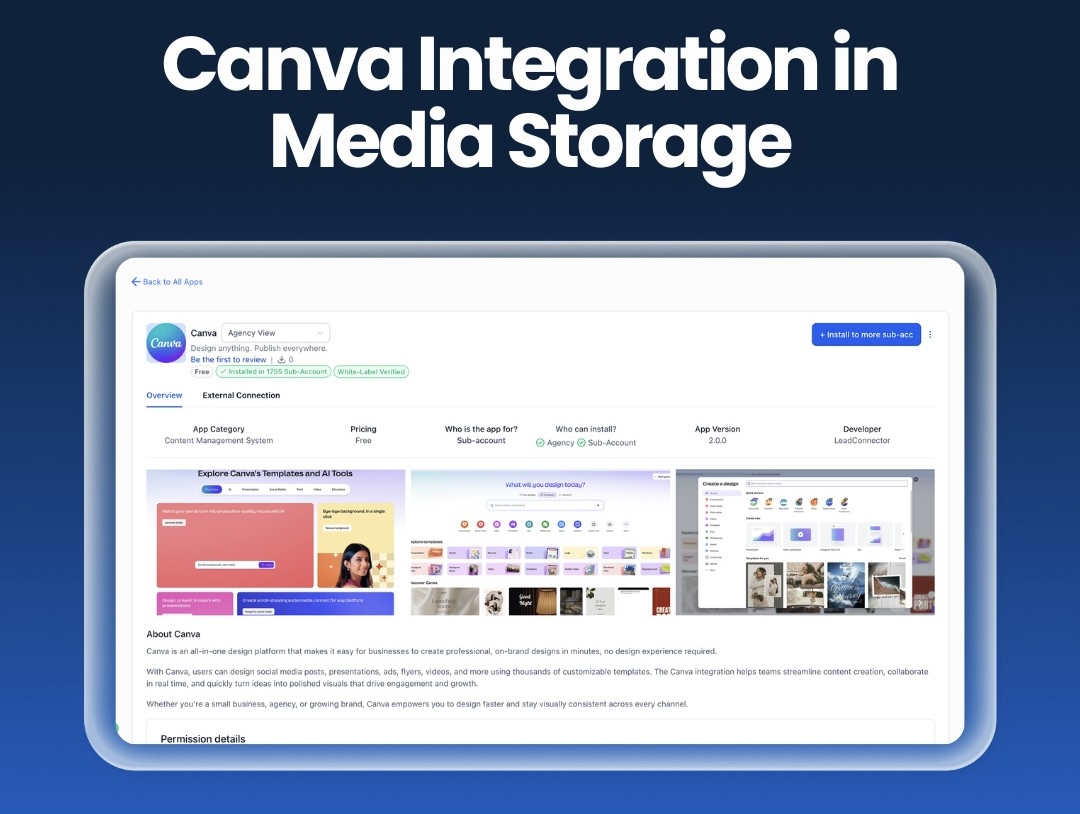
🎨 Canva Integration in Media Storage
You can now connectCanva directly inside Brainbox Media Storage. That means you can browse, edit, download and import your Canva designs without switching tabs or juggling files.
Once connected, Canva appears as its own tab inside Media Storage. Your team can search designs, import assets and manage graphics just like using Google Drive.
Designs imported from Canva become independent assets inside Brainbox, so you can edit or reuse them without affecting the original design. Smart tracking also helps prevent duplicate Canva files when assets are edited later.
For agencies and teams creating lots of marketing content, this removes a huge amount of friction between design and deployment.
💻 LeadConnector Desktop App (macOS & Windows)
TheLeadConnector Desktop Appis now available for both Mac and Windows, giving you a faster and more stable way to run your Brainbox environment outside the browser.
Instead of relying on browser tabs and extensions, the desktop app runs as a dedicated workspace. This means better performance, fewer crashes and cleaner navigation.
You’ll also get native desktop notifications and quick access directly from your dock or taskbar.
Future updates will include white-label support, Linux compatibility and official App Store listings.

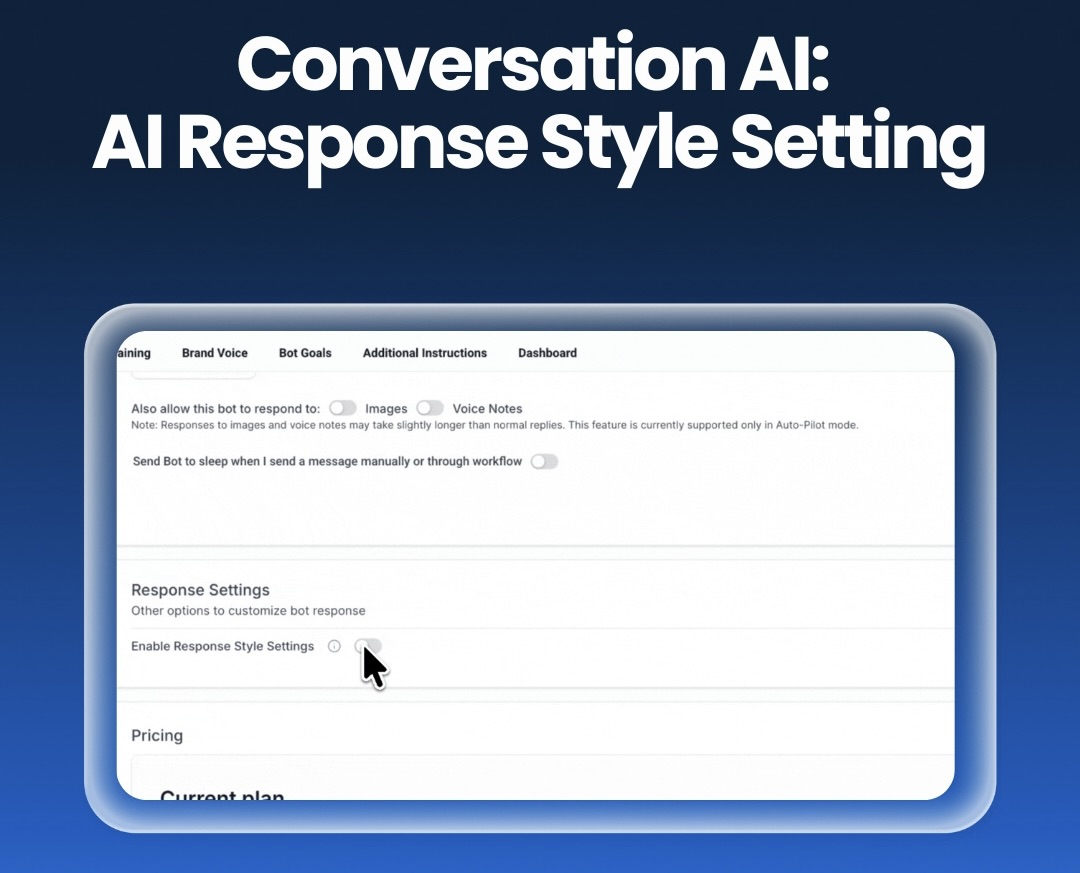
🤖 Conversation AI: Response Style Settings
You can now control how your AI bots respond by selecting aResponse Style.
Choose between:
•Concise– short and direct replies
•Balanced– natural conversation length
•Detailed– deeper explanations and support answers
This setting applies per bot, so you can keep lead capture bots quick and simple while allowing support bots to provide more detailed answers.
The result is more control over tone, clarity and customer experience without constantly rewriting prompts.
🧠 Agent Studio: Vibe Code Agents
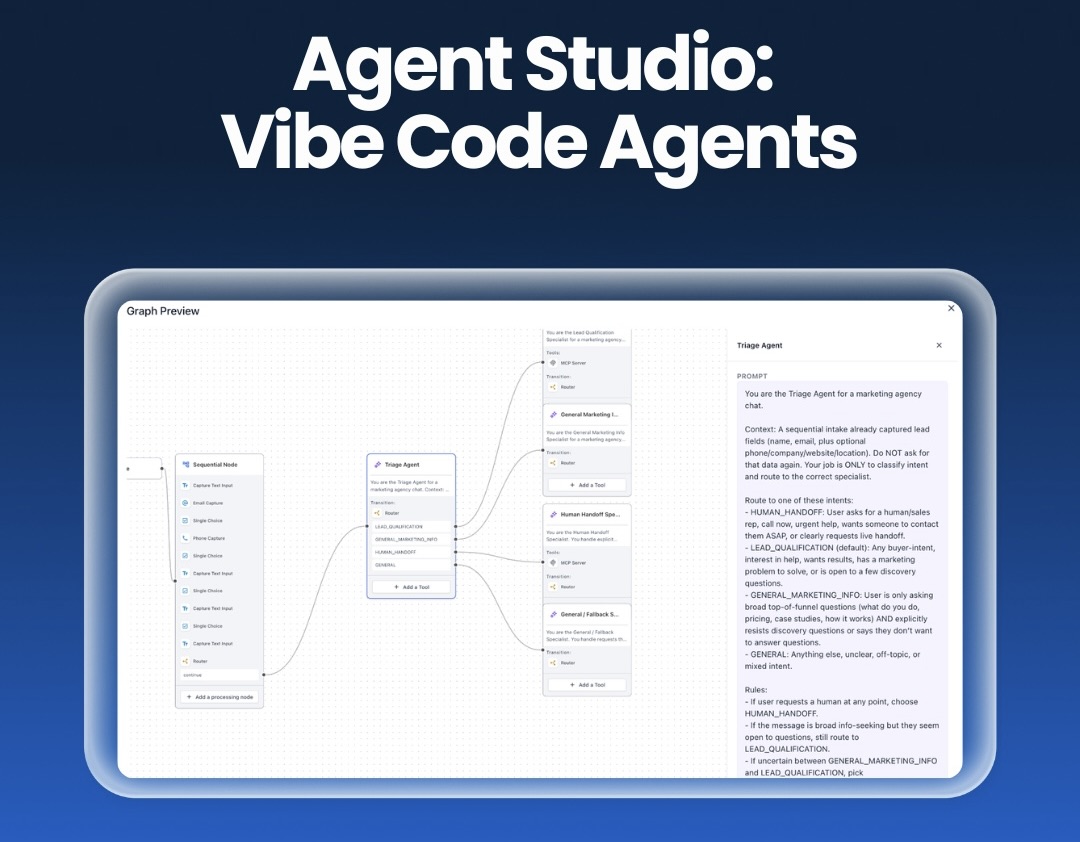
Agent Studio now includes anative AI assistantthat helps you build and improve AI agents using simple conversation.
Instead of manually configuring every step, you can ask the assistant to create or modify an agent and preview the proposed changes before applying them.
You can also run automated tests, view results instantly and iterate quickly while the system tracks version history and streams outputs in real time.
This dramatically speeds up agent creation and makes it easier to experiment without breaking existing setups.
📞 Phone System: Pre-Built A2P Campaign Registration Flow
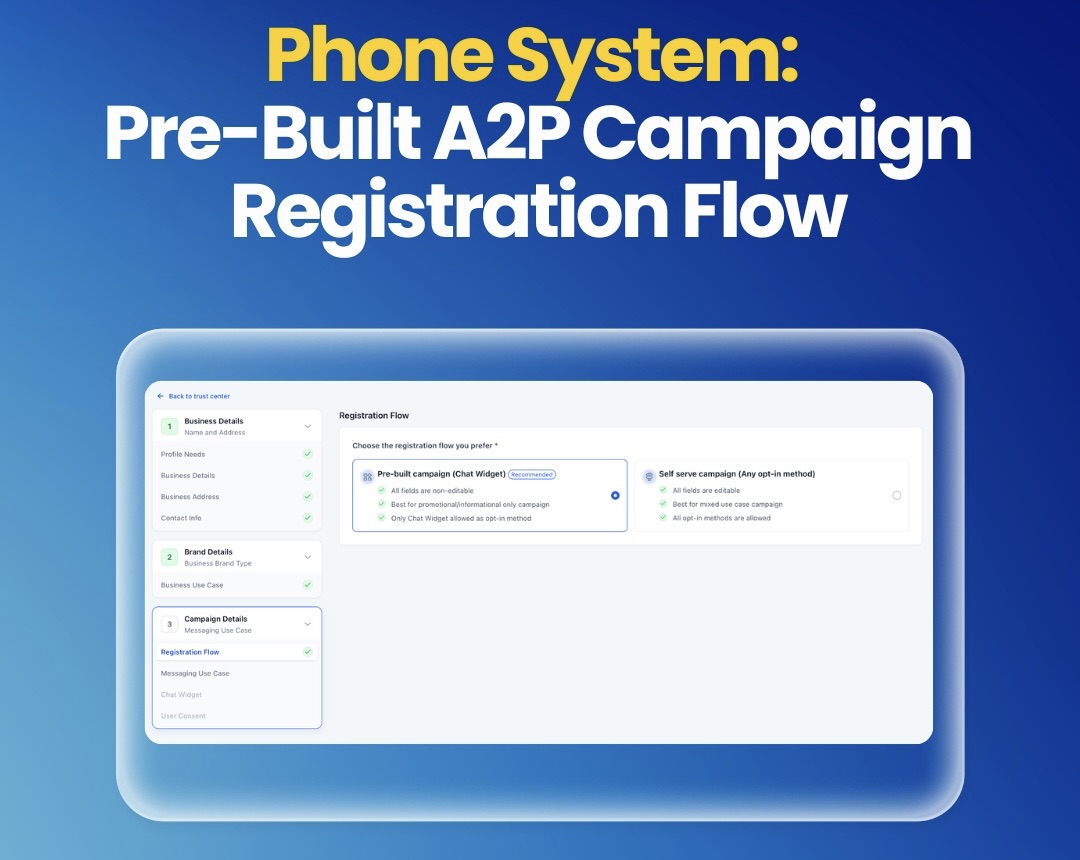
Registering A2P messaging campaigns just became much easier.
The newpre-built registration flowhelps reduce carrier rejections by guiding you through a simplified process that automatically generates compliant messaging setups.
It separates marketing and informational use cases, prevents risky combinations and applies required compliance rules like age gating when needed.
This helps businesses submit campaigns faster while lowering the risk of rejection.
📊 Products: Track Cost Price & Profit Margins
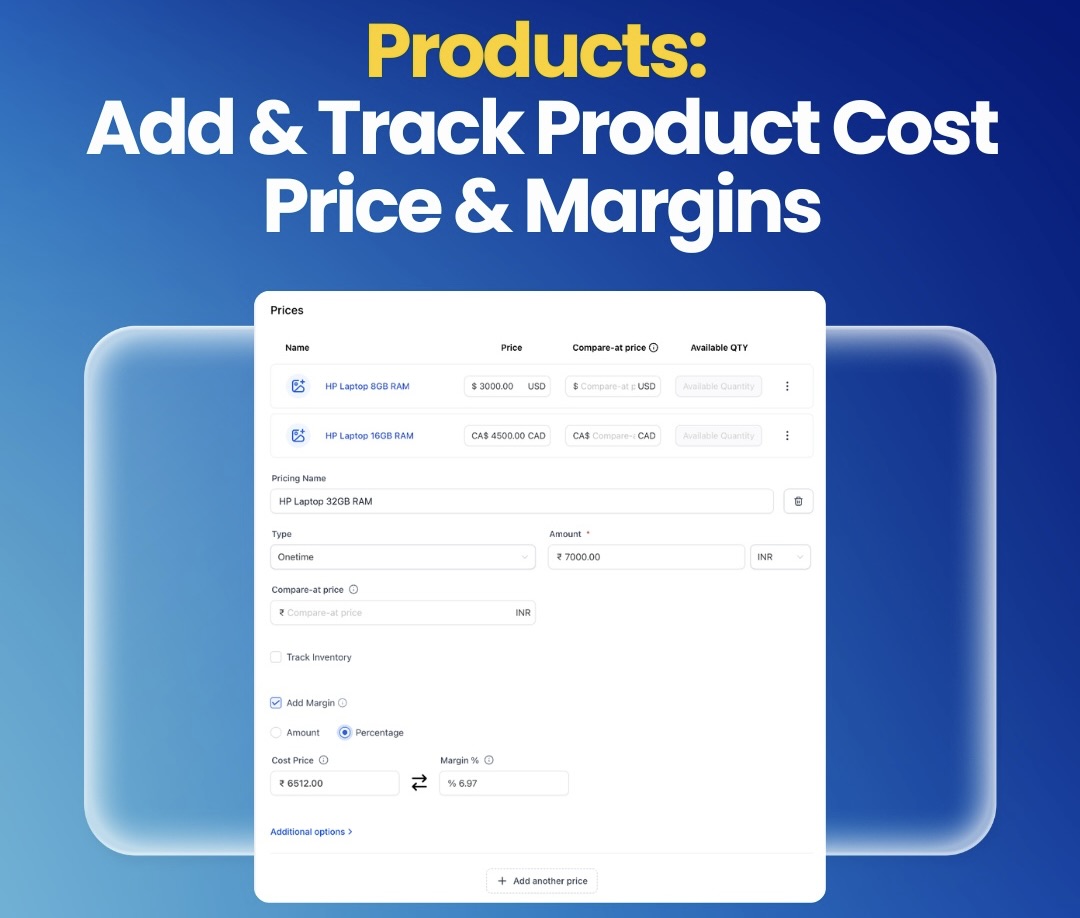
You can now trackproduct cost price and margins directly inside the Products module.
Margins can be calculated using either amount or percentage and are automatically updated when product prices change.
This gives you instant visibility into how much you are actually earning from each product or variant.
Transaction exports now also include cost price data, making reporting and financial analysis far easier.
🎤 Voice AI: Edit Prompts with AI
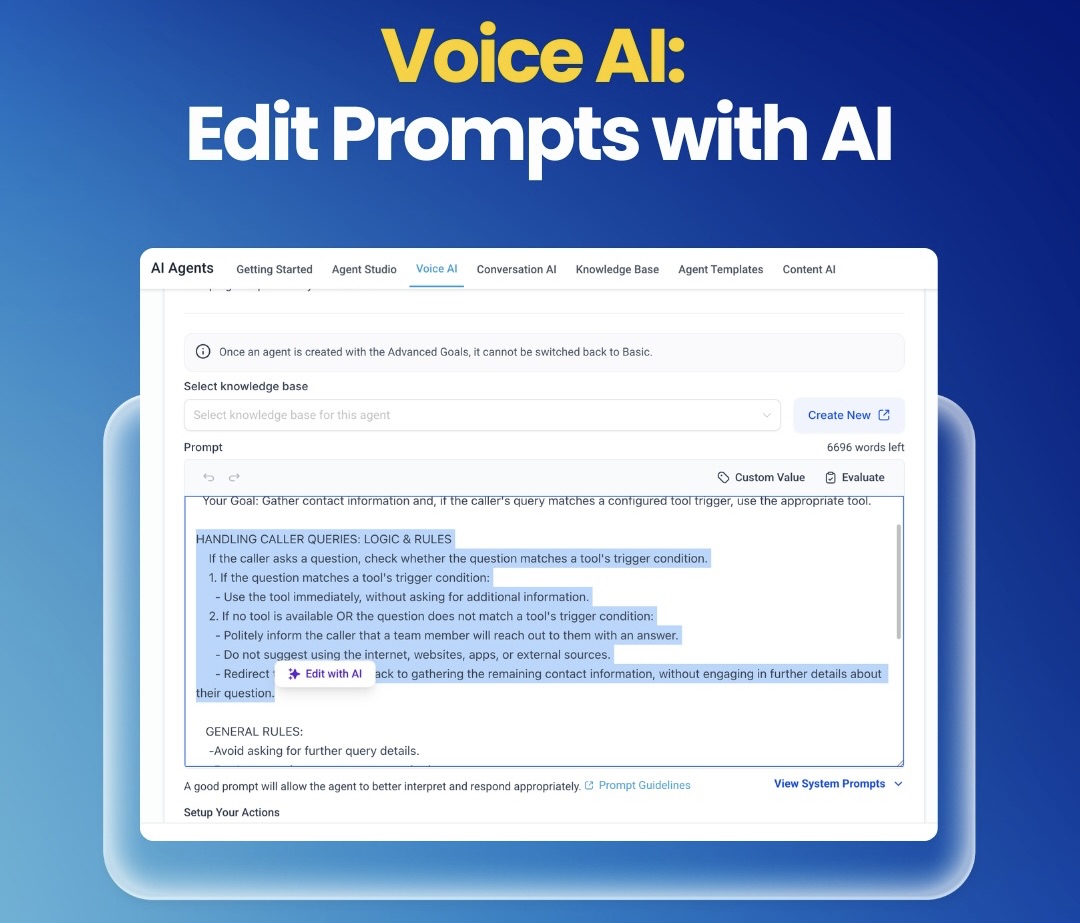
Editing Voice AI prompts just became dramatically easier.
Simply highlight the section you want to improve, add an instruction and Brainbox AI will rewrite that part while showing a clear before-and-after comparison.
This lets you refine prompts quickly without rewriting entire scripts or risking breaking working logic.
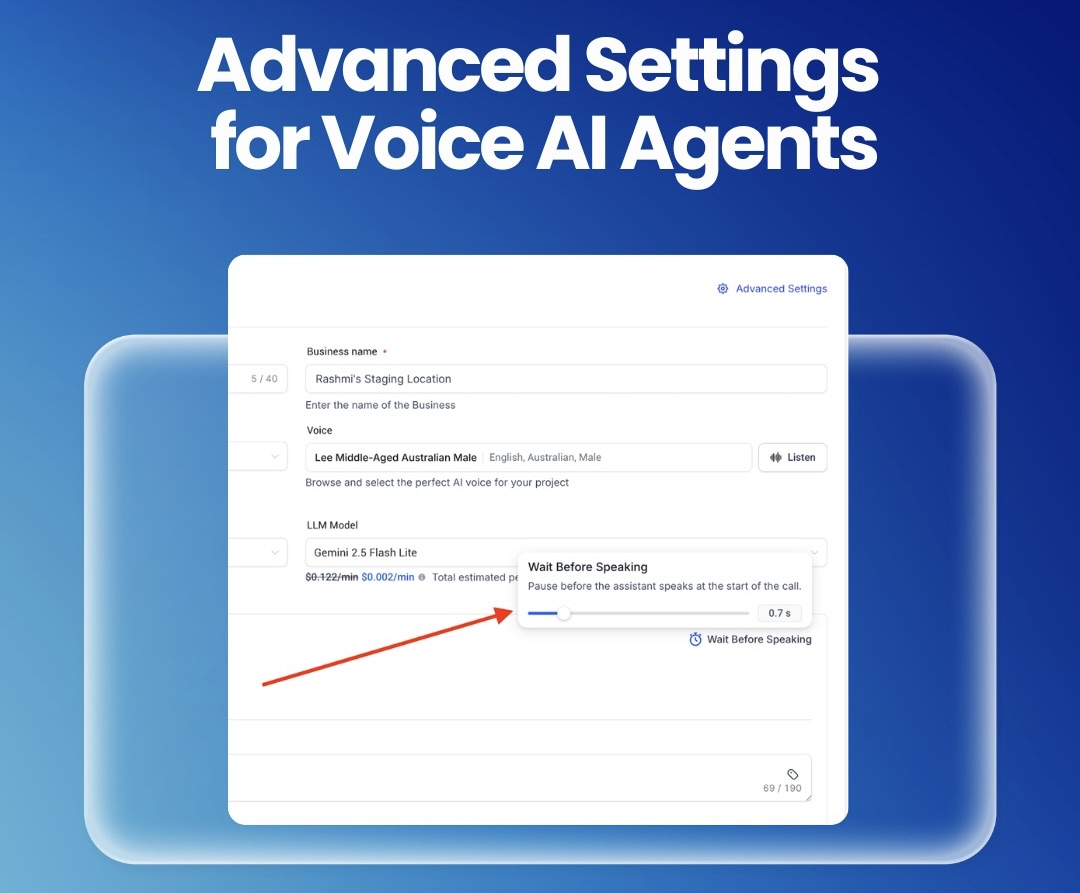
🎛 Advanced Settings for Voice AI Agents
Voice AI agents now includeadvanced behaviour controlsfor even more precise call handling.
You can now adjust things like:
• silence detection before ending calls
• response speed
• greeting delay
• transcription behaviour
• voice output volume
• speech speed and normalization
• expanded noise cancellation controls
These settings give you full control over how your AI agents sound and behave, helping them feel more natural and professional during live conversations.